A desktop automation engine for cryptocurrency trading. Set rules once — Cyrus executes trades, converts assets, and withdraws to your wallets automatically across Kraken, Coinbase, and Binance.
Latest release: v1.1.7 · Windows x64 · No Python or Node required
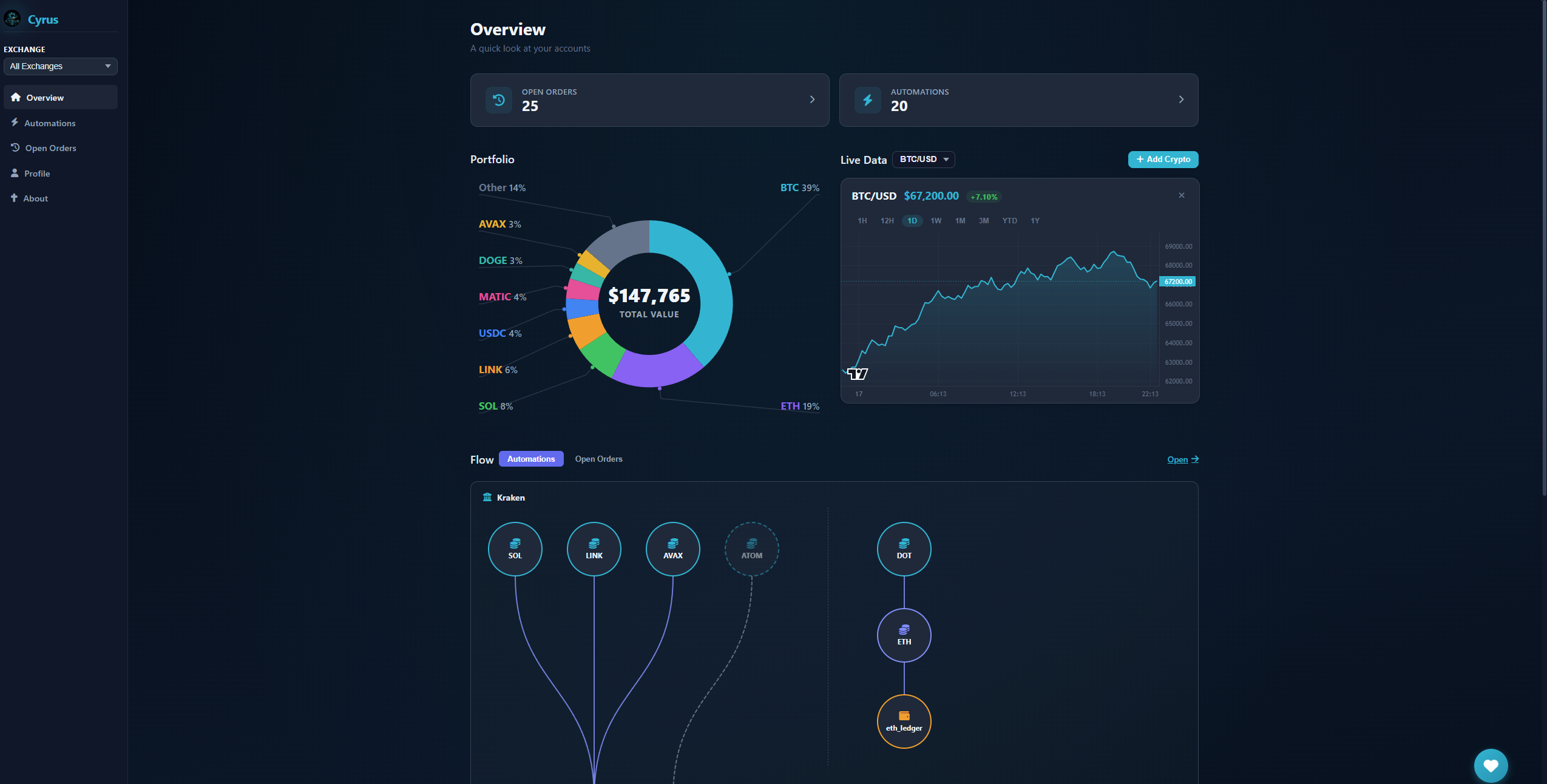
Connect your exchange API keys, define your rules, and let Cyrus handle the rest — running silently on your desktop.
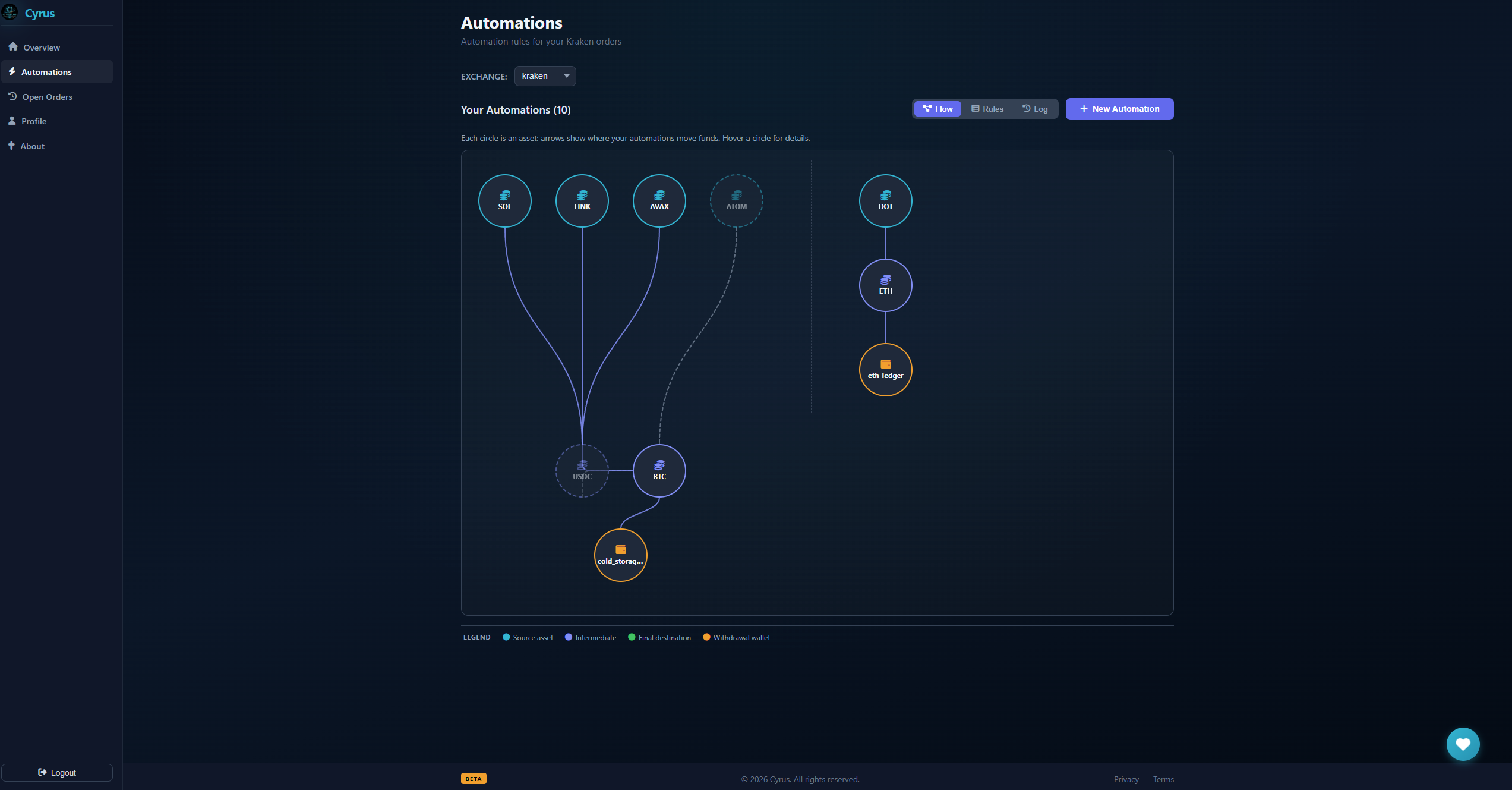
Trigger actions when orders fill or balance thresholds are hit. Withdraw to a saved address, convert one asset to another — all automatically.
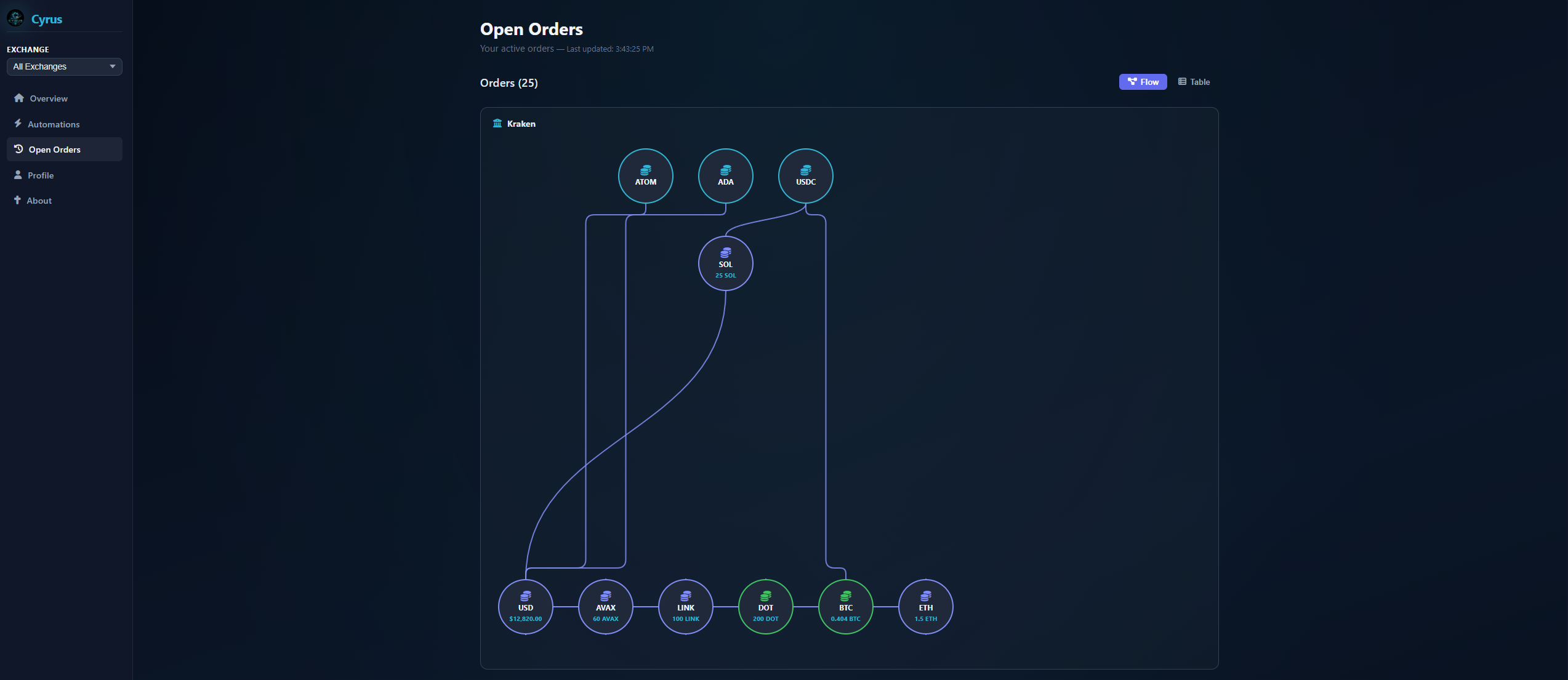
Watch your open orders across all connected exchanges with live auto-refresh every 15 seconds. No browser tabs required.
Connect Kraken, Coinbase Advanced, and Binance simultaneously. Manage all your exchange accounts from a single application window.
Get native Windows notifications the moment an automation rule executes. Toggle per-account from your profile settings.
All data lives in a local SQLite database under your AppData folder. No cloud sync, no third-party servers. Your keys never leave your machine.
Prevent runaway automation with configurable cooldown periods on every rule. Set the minimum time between executions and trade with confidence.
Different exchanges expose different APIs. Here's exactly what Cyrus can do on each one.
| Feature | Kraken | Coinbase Advanced BETA | Binance BETA |
|---|---|---|---|
| View open orders | ✓ | ✓ | ✓ |
| View account balances | ✓ | ✓ | ✓ |
| Trigger: Order filled | ✓ | ✓ | ✓ |
| Trigger: Balance threshold | ✓ | ✓ | ✓ |
| Action: Convert crypto | ✓ | ✓ | ✓ |
| Action: Withdraw to address | ✓ | — | — |
| Whitelisted withdrawal addresses | ✓ | — | — |
The installer packages everything — no Python, no Node.js, no manual setup required.
Grab Cyrus.Setup.1.1.7.exe from the latest release. The installer is fully self-contained — Python, Flask, Electron, and SQLite are all bundled inside.
Run the installer and follow the setup wizard. Cyrus installs to C:\Program Files\Cyrus by default and creates Start Menu and Desktop shortcuts. First-time users will see a Windows SmartScreen prompt — click "More info" → "Run anyway."
On first launch, create a local account with a username and password. Your account data lives entirely on your machine in an encrypted SQLite database — nothing is sent to any server.
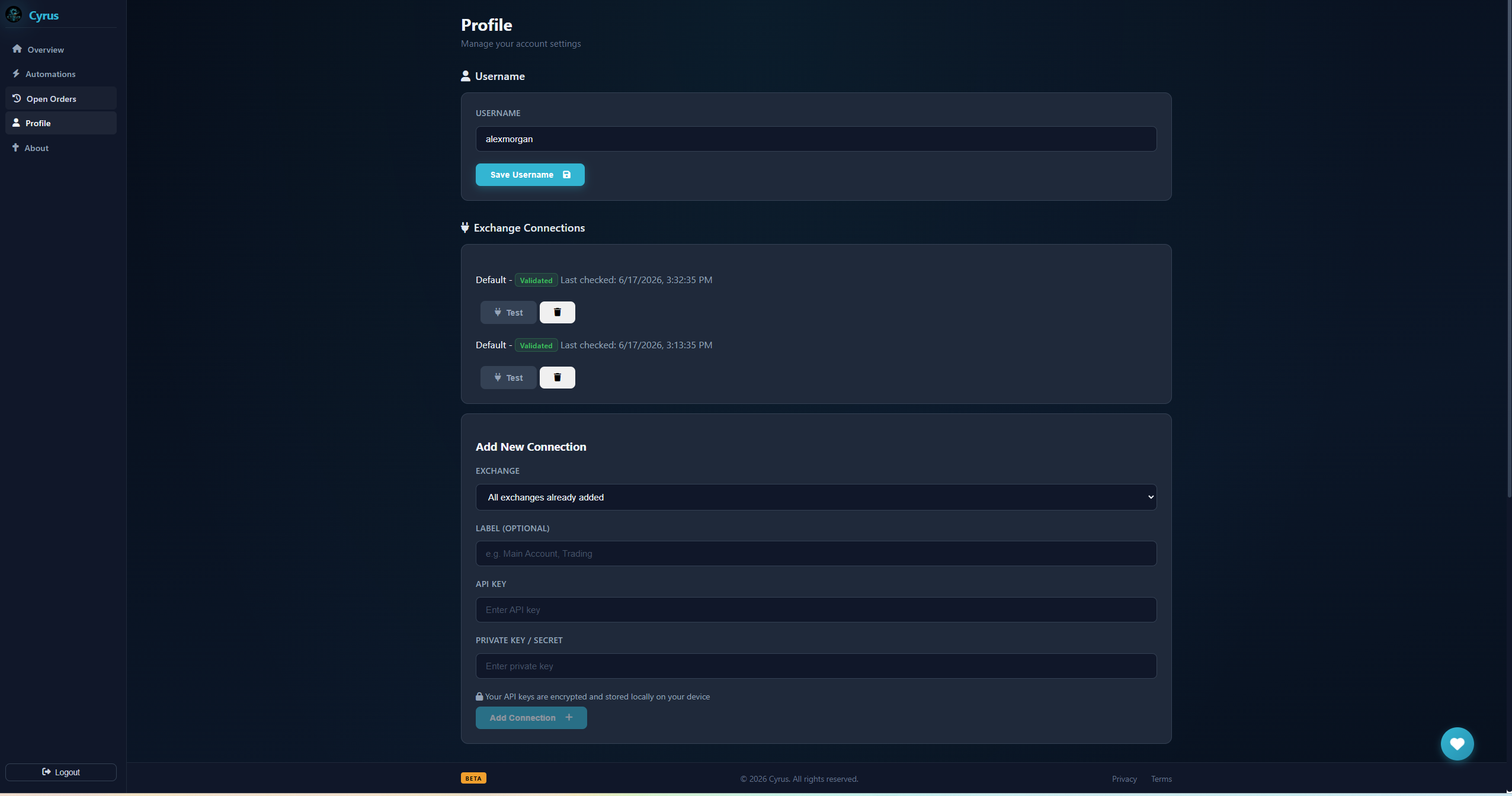
Go to Profile → Exchange Connections. Enter your exchange API key and secret (read + trade permissions recommended), then click Test to validate. Your keys are encrypted at rest using AES-128.
Open Custom Commands and configure a trigger — either an order fill or a balance threshold — paired with an action like converting an asset or withdrawing to a saved address. Cyrus checks your rules every 15 seconds in the background.
Cyrus was designed from the ground up to keep your exchange credentials and trade data fully local and encrypted.
Exchange API keys are encrypted with Fernet symmetric encryption before being stored. The key is derived from your Flask SECRET_KEY via SHA-256.
Passwords are hashed using bcrypt with 12 salt rounds. Plaintext passwords are never stored or logged anywhere in the application.
Authentication uses short-lived JWT tokens that expire after 30 days. All API requests use SQL prepared statements to prevent injection attacks.
No cloud accounts, no remote telemetry, no analytics. The backend runs on localhost only — CORS is restricted to 127.0.0.1:5000.
A modern Electron + Python architecture, packaged into a single Windows installer.
Cyrus is free and open-source. Every contribution — however small — goes directly toward continued development.
Payments powered, managed, and secured by Stripe.
Free, open-source, and fully local. No subscriptions. No cloud accounts. Just your rules running on your machine.
Download Cyrus v1.1.7Windows x64 · Free forever · ISC License · Report an issue
Have a comment, question, or concern? Send a message and I'll get back to you.